What to Know About Chrysler and Dodge Uconnect Infotainment Features
Posted by James Ruppert | Nov 26, 2026 | Dodge, Chrysler, Uconnect, Infotainment
Modern vehicles offer more than transportation. Drivers also expect convenient access to navigation, music, smartphone connectivity, and communication tools while traveling. Chrysler and Dodge vehicles feature Uconnect infotainment systems designed to bring many of these functions together through an integrated touchscreen interface. Understanding the available features can help shoppers choose a vehicle that fits their daily routines. Drivers comparing options can explore Chrysler Dodge Jeep Ram Red Deer to learn more about available models and technology.
Understanding the Uconnect Infotainment System
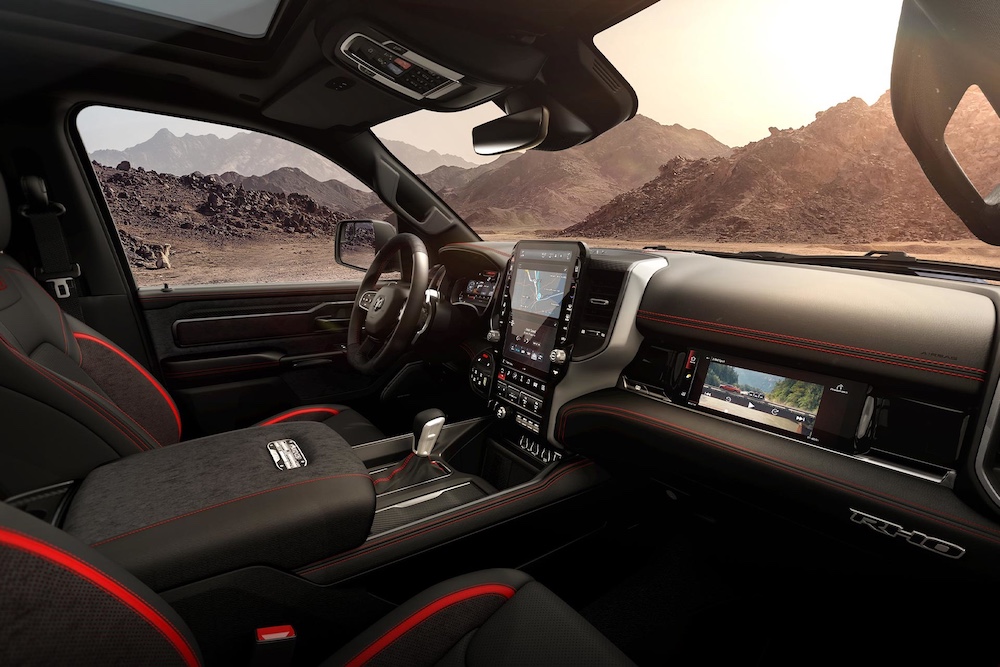
Uconnect is an in-vehicle infotainment platform used across Chrysler and Dodge lineups. It brings entertainment, communication, navigation, and selected vehicle settings into one central interface.
Depending on the model year and configuration, Uconnect systems may feature different touchscreen sizes, menus, processing capabilities, and connected services. Some vehicles have simpler interfaces with essential audio and phone functions, while others offer larger displays and additional technology.
The system is designed to make commonly used features accessible without requiring drivers to manage multiple separate controls. Familiarizing yourself with the interface before driving can make everyday use more convenient.
Apple CarPlay and Android Auto Connectivity
Smartphone integration is one of the most useful Uconnect features for many drivers. Compatible systems support Apple CarPlay and Android Auto, allowing users to connect their smartphones to the vehicle’s infotainment display.
These platforms provide access to compatible navigation applications, music services, messaging tools, and phone functions. Drivers can use familiar smartphone features through the vehicle’s screen and supported voice controls.
Connectivity methods vary by system. Some Uconnect versions require a USB connection, while newer configurations may support wireless integration. Shoppers should confirm compatibility with their specific smartphone and the vehicle they are considering.
Navigation and Route Guidance
Available built-in navigation can help drivers plan trips without depending entirely on a smartphone. Depending on the Uconnect version, navigation features may include turn-by-turn directions, destination searches, points of interest, and connected traffic information.
These tools can be useful when commuting, traveling through unfamiliar areas, or planning longer road trips. Some systems may also provide additional information through connected services.
Drivers should understand that navigation availability and connected features can vary. Certain functions may require a subscription, data connection, or software support. Checking the system’s capabilities before purchasing can prevent confusion later.
Voice Commands and Hands-Free Communication
Voice command functionality allows drivers to operate selected infotainment features without repeatedly interacting with the touchscreen. Depending on the system, voice controls may support phone calls, audio selection, and navigation commands.
Bluetooth connectivity can also allow compatible smartphones to connect for hands-free calling and wireless audio streaming. This makes it easier to manage communication and entertainment while keeping attention on the road.
Drivers should learn the available voice commands and use them responsibly. Even hands-free technology can become distracting if it takes too much attention away from driving.
Music and Entertainment Options
Uconnect systems offer several ways to enjoy audio during daily commutes and longer journeys. Depending on the vehicle and equipment, available options may include AM/FM radio, SiriusXM satellite radio, Bluetooth audio streaming, USB connections, and compatible smartphone applications.
These choices allow passengers to listen to music, podcasts, news, and other entertainment. Some configurations also offer premium audio equipment for drivers who value sound quality.
The available entertainment services and trial subscriptions can differ by model year and package. Buyers should review which features are included and whether ongoing service fees apply.
Touchscreen Design and Personalization
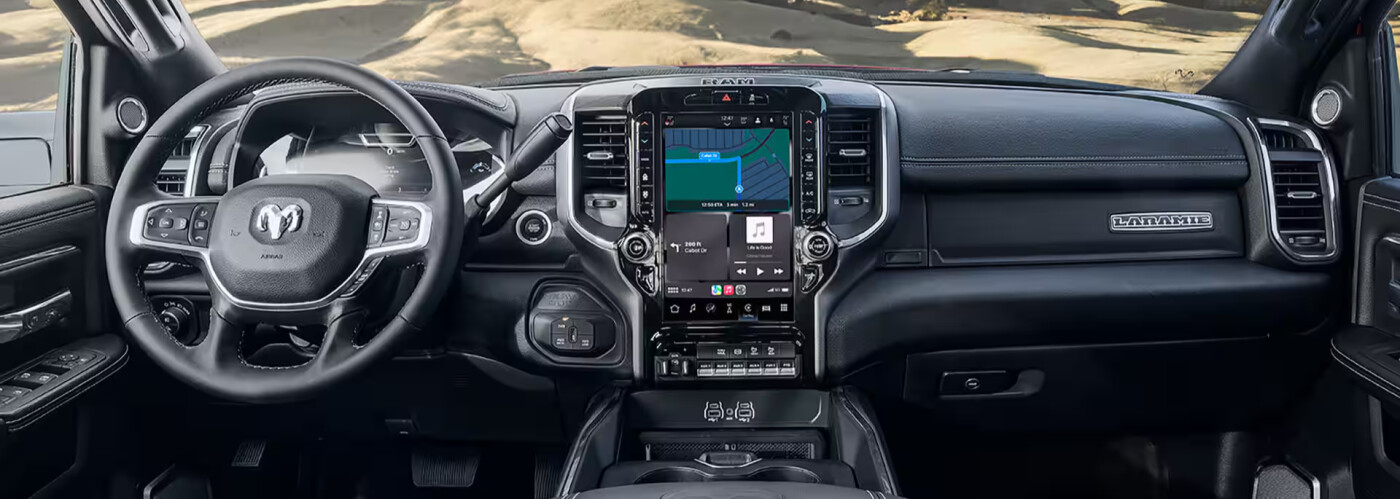
The touchscreen serves as the main control center for many Uconnect functions. Depending on the version, drivers may be able to customize shortcuts, arrange frequently used applications, and adjust selected settings.
A well-organized display can make it easier to access navigation, audio, and phone functions. Screen size and layout also influence how comfortably drivers can read information and interact with the system.
During a vehicle demonstration, shoppers should explore the menus and test the touchscreen response. A system that feels intuitive can make daily driving more enjoyable.
Connected Services and Remote Features
Certain Chrysler and Dodge vehicles offer connected services that extend functionality beyond the dashboard. Depending on the model and subscription, these services may include remote vehicle access, vehicle status information, emergency assistance, roadside support, or an in-vehicle Wi-Fi hotspot.
Some newer Dodge connected-service offerings also include features such as remote start and vehicle diagnostics through compatible services. Availability depends on the vehicle, equipment, enrollment, and service plan.
Before relying on these features, drivers should check trial periods, subscription requirements, smartphone compatibility, and cellular coverage.
Understanding Differences Between Uconnect Versions
Not every Chrysler or Dodge vehicle has the same Uconnect system. Older models may feature earlier touchscreen designs and different smartphone compatibility, while newer versions can offer expanded connectivity and additional customization.
For shoppers considering a pre-owned vehicle, checking the model year and infotainment version is particularly important. A system’s appearance alone may not reveal whether it supports wireless smartphone integration, built-in navigation, or newer connected services.
A dealership demonstration can help buyers compare interfaces and understand which features are included in a particular vehicle.
Conclusion
Chrysler and Dodge Uconnect infotainment systems bring communication, navigation, entertainment, and connected services together in a convenient vehicle interface. Features such as Apple CarPlay, Android Auto, voice commands, Bluetooth audio, and available navigation can support a more connected driving experience. Since equipment and functionality vary across model years and trims, shoppers should compare specific systems and test their preferred features before choosing a vehicle.